Supplier portal admin rights

Manage your own contacts and report warehouse closing days.

Supplier portal admin role

It is possible to request the ‘Supplier portal admin’ role through the portal. An account with this role can manage contact information directly via the portal. The admin can:

  • Add contacts
  • Edit contacts
  • Delete contacts
  • Add closing days

Requests

Follow the steps below to requests Admin rights.

1. Log in to the Supplier portal

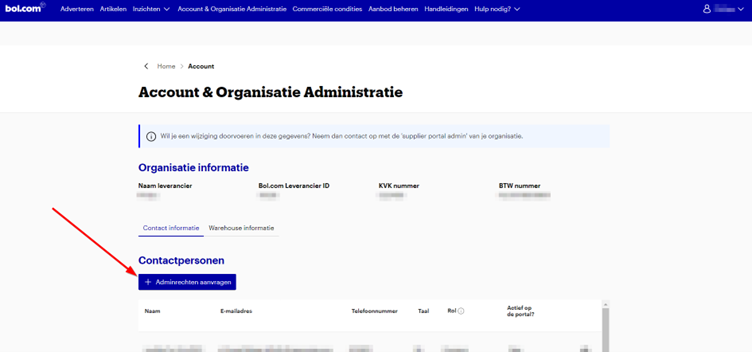
2. Go to the 'Account & Organisatie Administratie' tab

3. Click on Adminrechten aanvragen
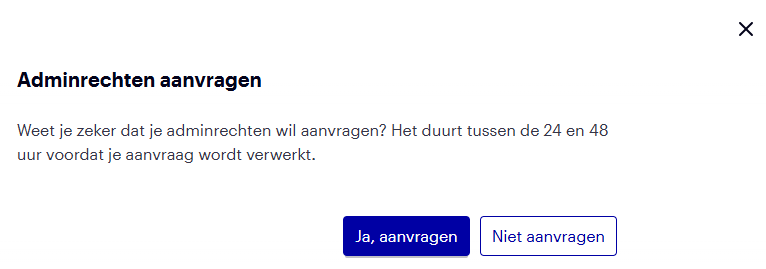
4. Confirm your request by clicking 'Ja aanvragen'
5. Waiting

It takes between 24 and 48 hours for your request to be processed. You will not receive feedback on this, the role will be activated on your account.